Notification channels
Channels live under Alerts → Channels. As the page itself says: “Channels are account-wide destinations. Templates choose which channels their alerts notify.” Create a channel once, then tick it in any template’s Notification channels list.
The Account email channel
Section titled “The Account email channel”Your first server brings a channel with it: Account email, pointing at your sign-in address, already attached to the Default template. It’s a normal channel — you can edit, disable, or delete it — but it isn’t recreated if you delete it, so make sure another channel is attached to your templates first.
Adding a channel
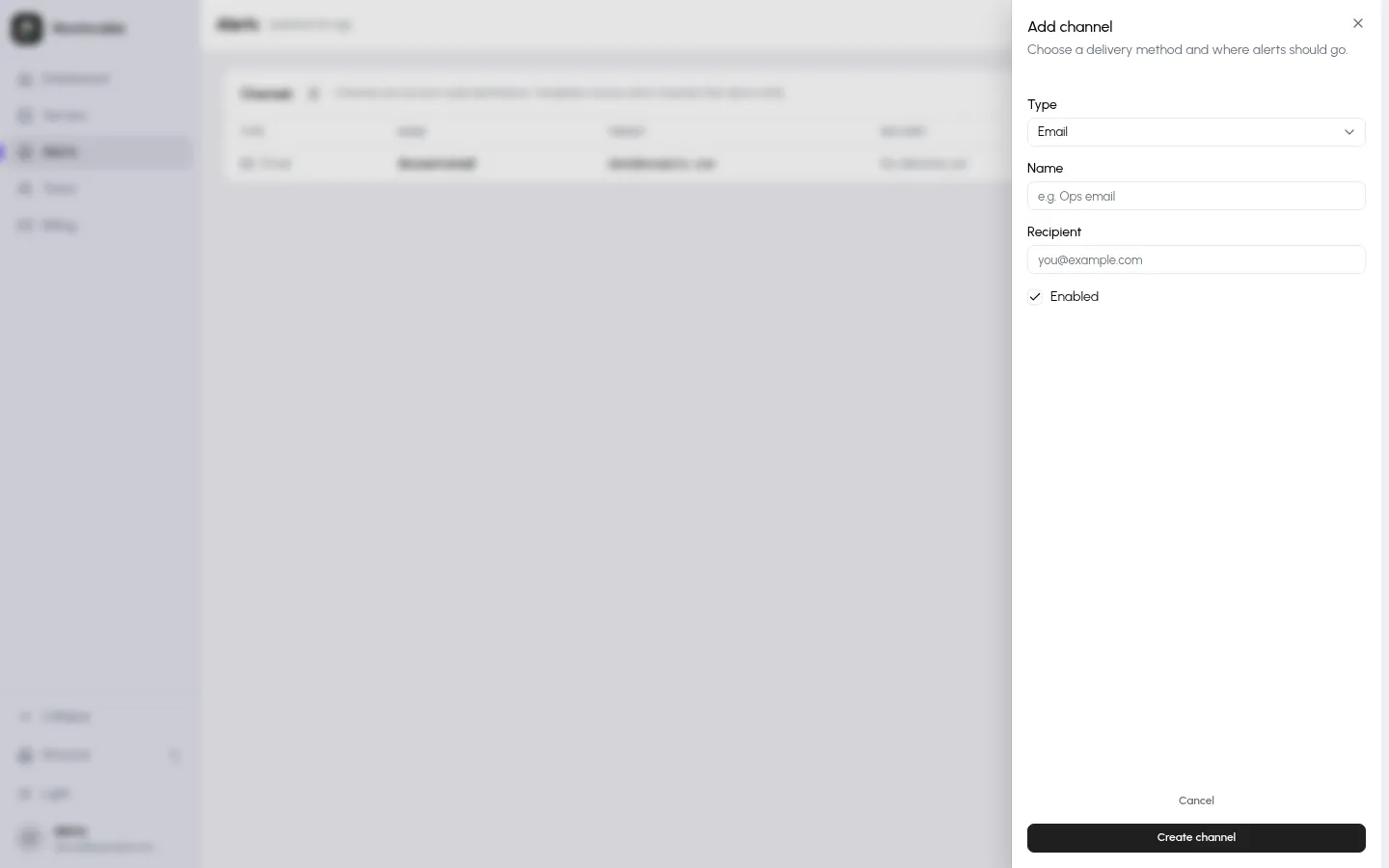
Section titled “Adding a channel”Click Add channel, pick a Type, and fill in the destination. Each channel has a Name, an Enabled switch, and one or two type-specific fields:
| Type | Fields |
|---|---|
| Recipient — an email address | |
| Telegram | Bot token and Chat ID |
| Discord | Webhook URL (https://discord.com/api/webhooks/…) |
| Slack | Webhook URL (https://hooks.slack.com/services/…) |
| PagerDuty | Routing key (Events API v2) |
| Webhook | URL — receives a JSON payload per notification |
| ntfy | Topic, plus an optional Server (defaults to ntfy.sh) |
Webhook messages carry a [ALERT], [REMINDER], [RESOLVED], or
[TEST] title prefix with the server name, the incident description, and
a link back to the dashboard — enough to route on in most automation
tools.
Send a test
Section titled “Send a test”Every channel row has a test button (“Send test notification to …”). It delivers “This is a test notification from Monitorable.” from a server named “Sample Server”, so you can confirm the destination works before an incident does it for real. Test sends don’t count against the daily caps.
Daily caps
Section titled “Daily caps”To keep a runaway alert storm from flooding a destination, sends are capped per day (UTC): 50 for email and 200 for each other channel type, counted per type across your account — two email channels share one 50-send budget. The first send past the cap delivers a one-time notice — “Daily notification cap reached for this channel; further alerts today are suppressed.” — and further notifications that day are dropped. Resolve notifications and reminders count like any other send; test sends don’t.