Sign in & account
There are no passwords. The dashboard’s sign-in page offers three ways in — Google, GitHub, or a one-time email — and all three lead to the same kind of account. Signing in with an address (or an OAuth identity) that has no account yet creates one on the spot; there is no separate registration form.
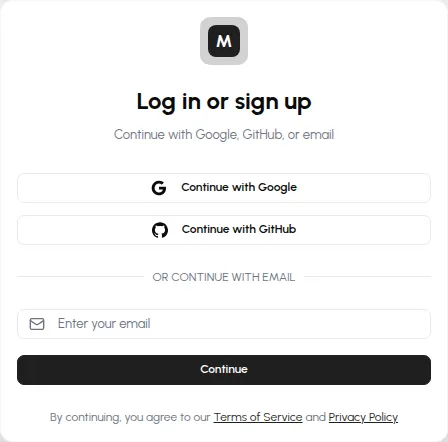
Email: a link and a code
Section titled “Email: a link and a code”Enter your address and click Continue. One email arrives, carrying both a sign-in link and a 6-digit code — two forms of the same credential, so you can click the link on the device you’re on, or read the code from a phone and type it where you’re signing in.
The pair is valid for 15 minutes and is single-use: consuming either the link or the code invalidates both. Past the 15 minutes, just request a new email — codes that expired unused simply stop working, with nothing to clean up.
Google and GitHub
Section titled “Google and GitHub”Continue with Google and Continue with GitHub run a standard OAuth flow — Monitorable asks the provider for your name, email address, and avatar, and nothing else. No password ever exists on our side either way.
One account per email address
Section titled “One account per email address”Your email address is what identifies the account, however you sign in. If you continue with Google or GitHub and the provider reports an address that already has a Monitorable account, the OAuth identity is linked to that existing account — servers, alert templates, and history are all still there. The same works in reverse: an email sign-in with the address your OAuth provider uses lands in the same account.